


Save any recipe.
Cook it your way.
Find and save recipes from TikTok, Instagram, YouTube, Facebook, websites, screenshots, and more—then organize them into clean, private cookbooks built for the way you cook.


Free to download. Optional Pro subscription available.
Recipes shouldn’t disappear into your saved posts.
TikTok saves. Instagram bookmarks. YouTube videos. Screenshots. Recipe blogs. Recipe Social gives the recipes you actually want to cook one organized home.
Smart Features
Turn Every Recipe Into Something Easier
Find recipes on the Web and YouTube, import from anywhere, and keep everything in private cookbooks. Your recipes. Your cookbooks. Private by default.
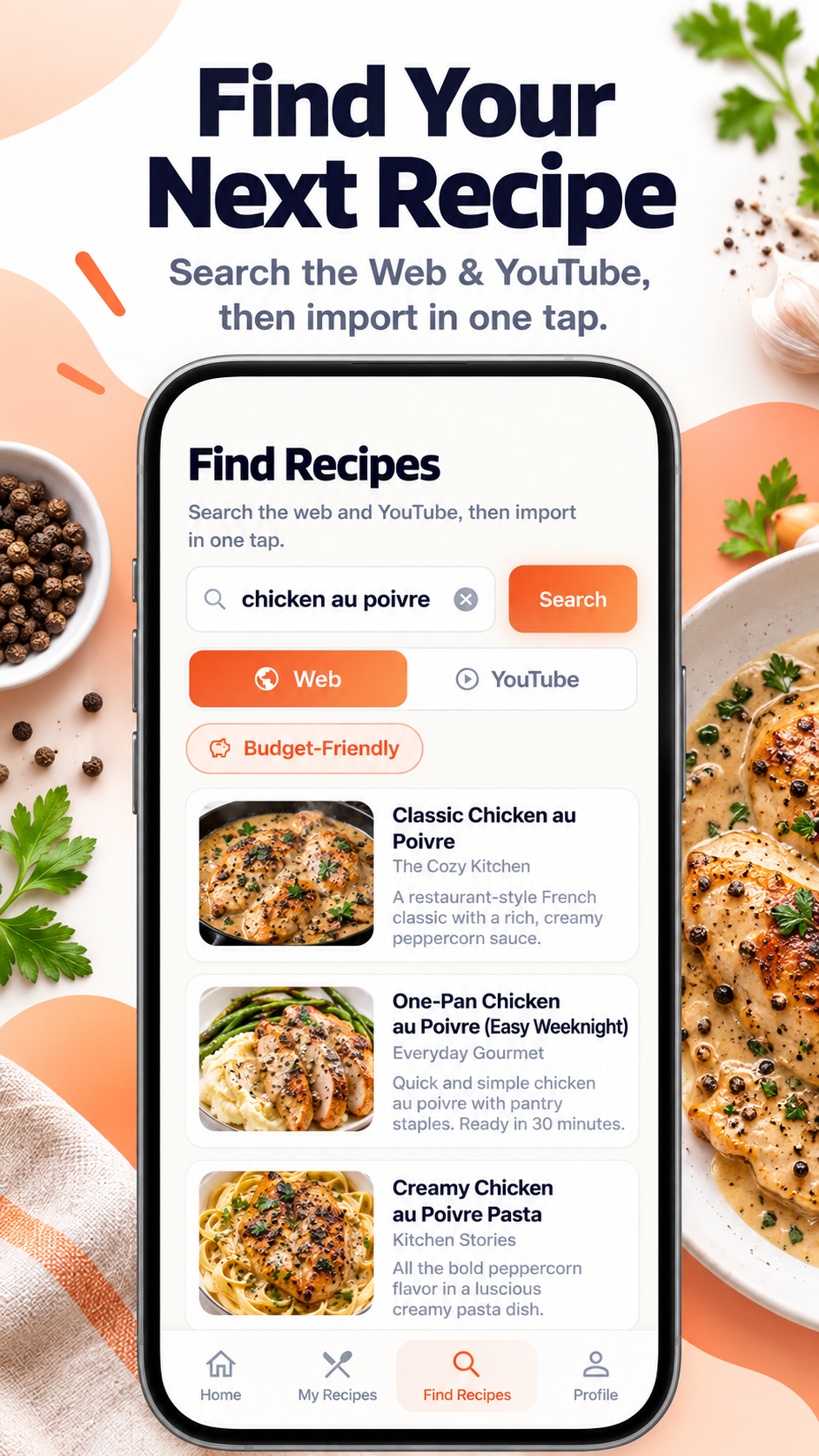
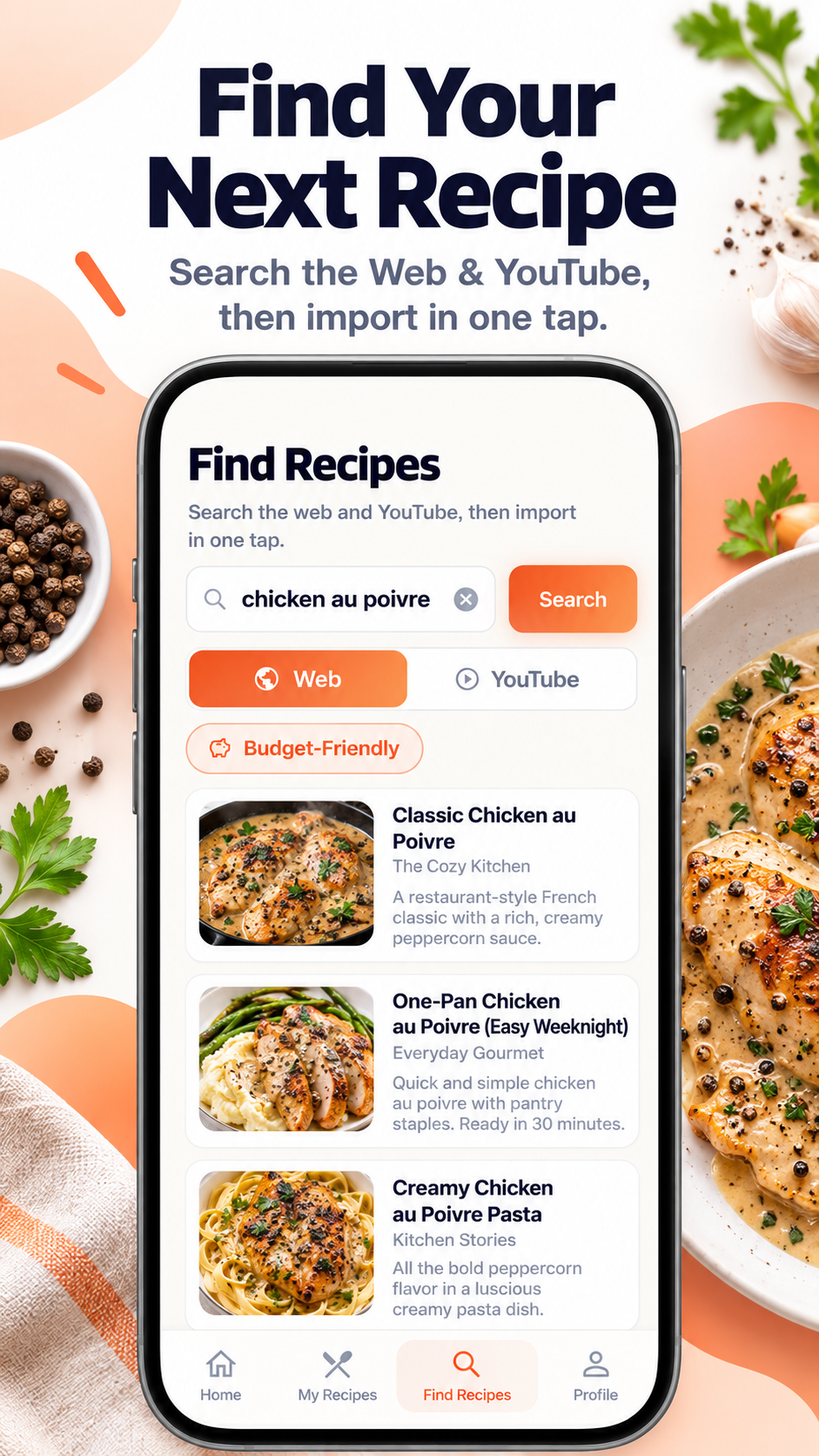
Find Recipes
Search the Web and YouTube for recipes without leaving the app, then import the ones you want to keep.
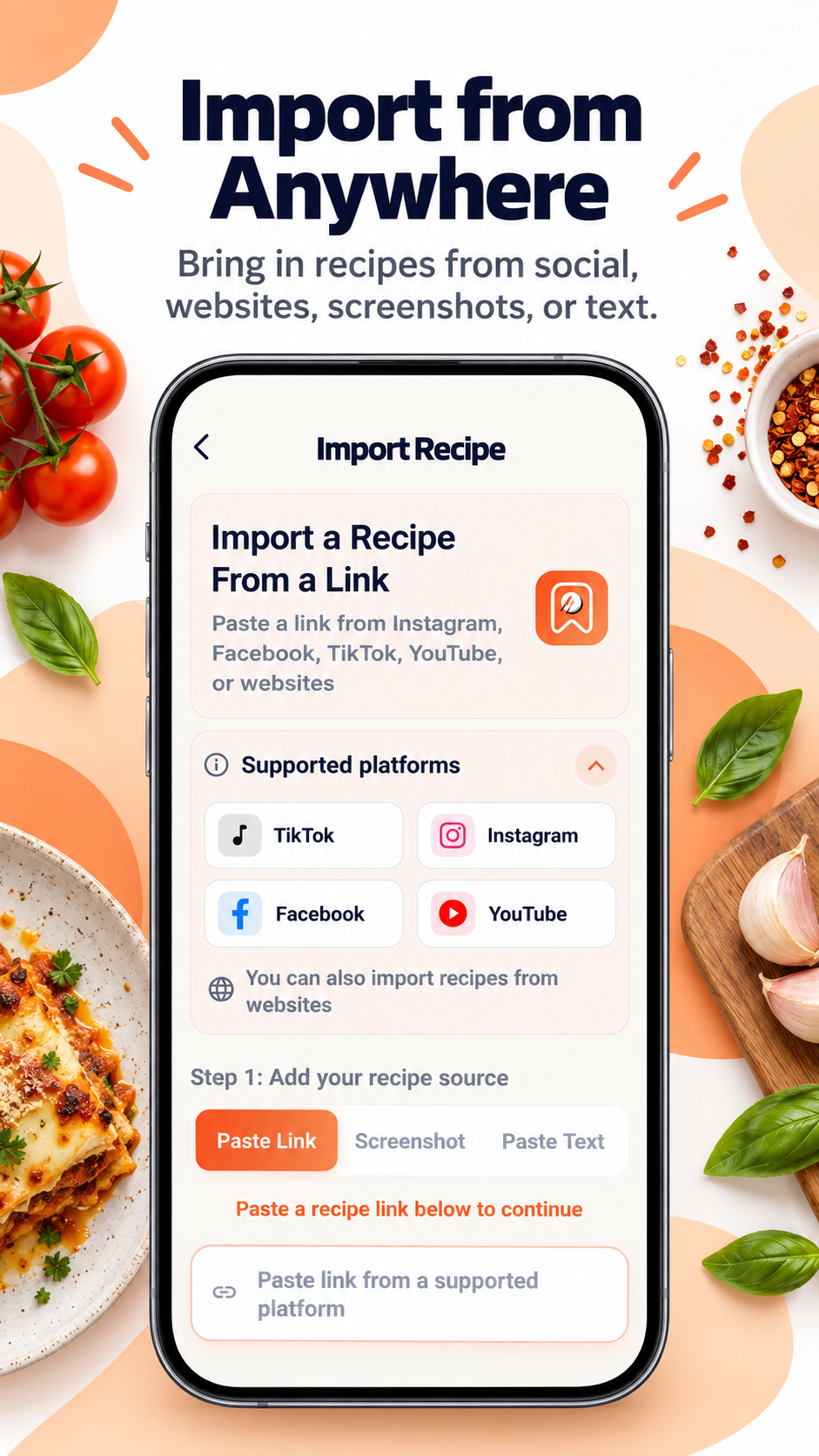
Import From Anywhere
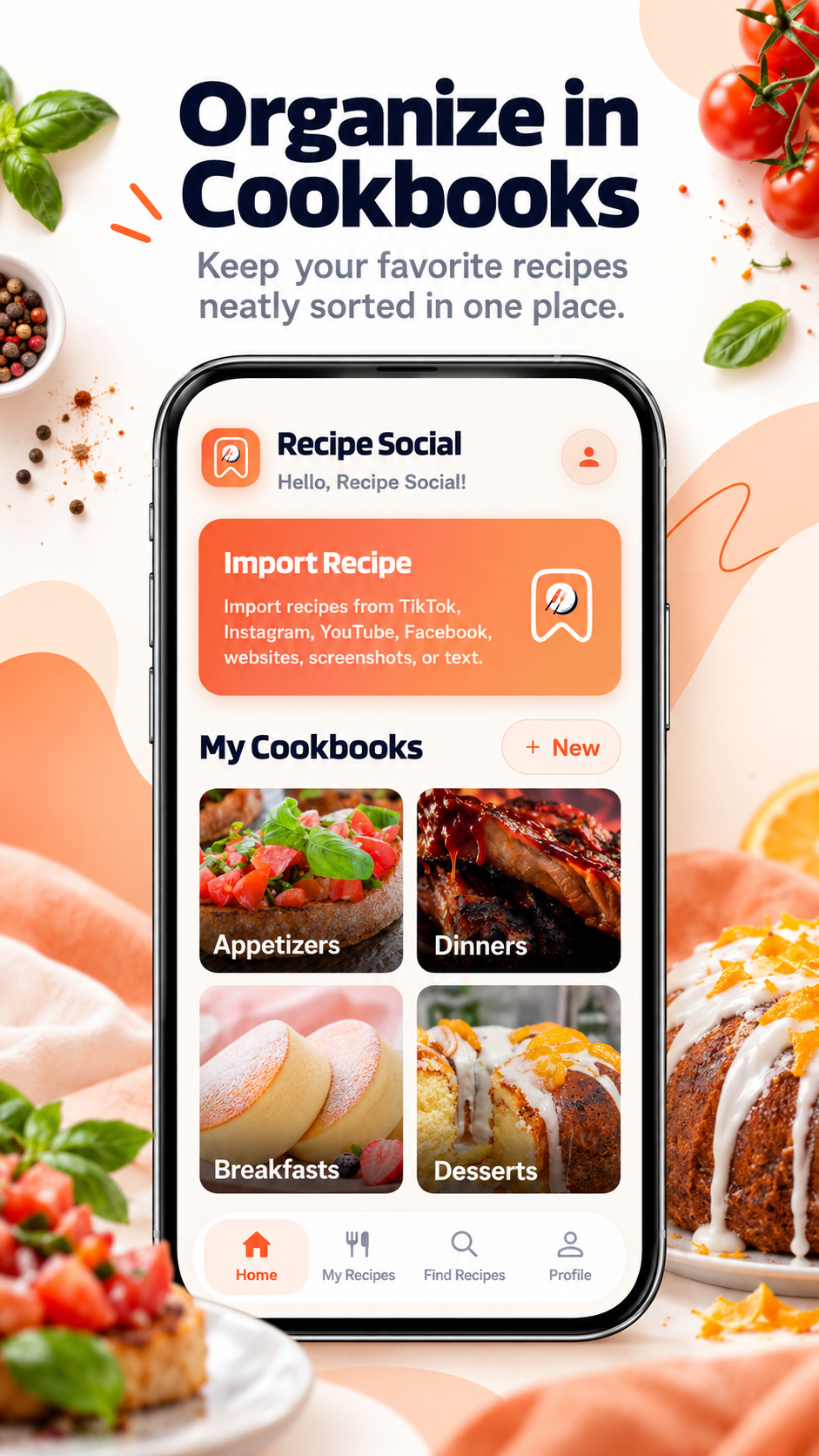
Save recipes from TikTok, Instagram, YouTube, Facebook, websites, screenshots, or pasted text.
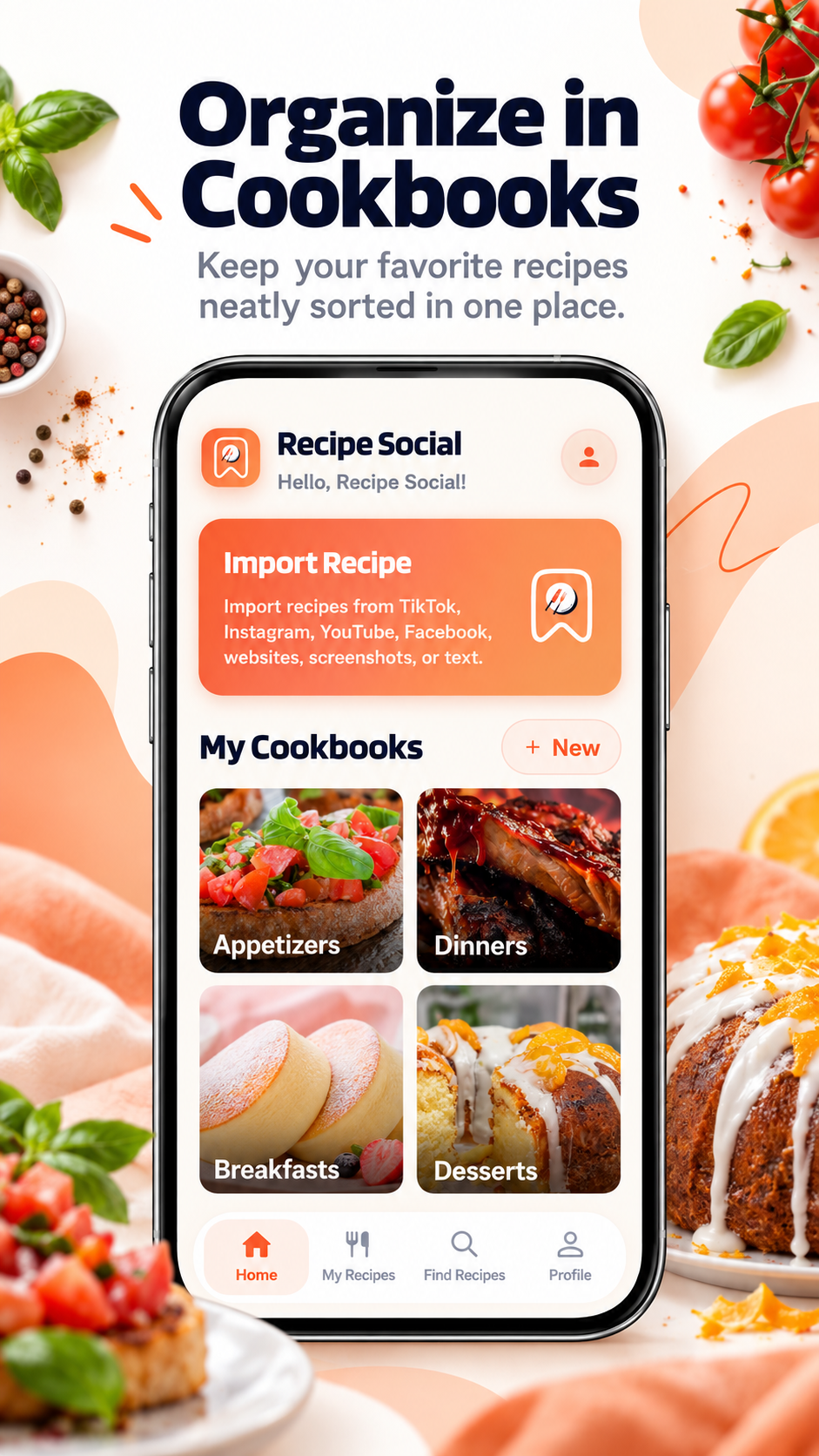
Private Cookbooks
Organize saved recipes into personal cookbooks. Your recipes. Your cookbooks. Private by default.
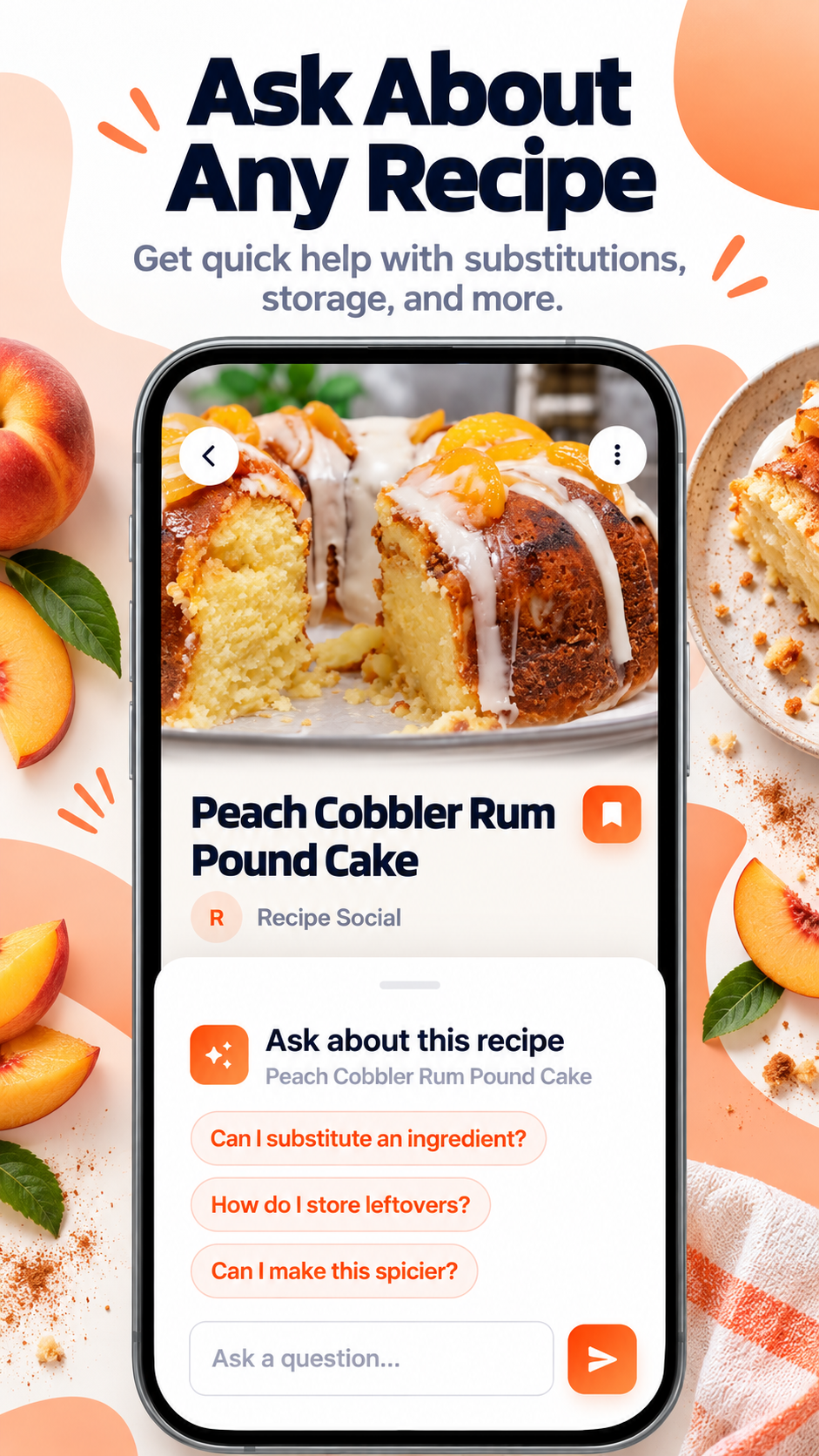
Ask About Your Recipes
Ask questions about ingredients, substitutions, preparation, cooking steps, and more.
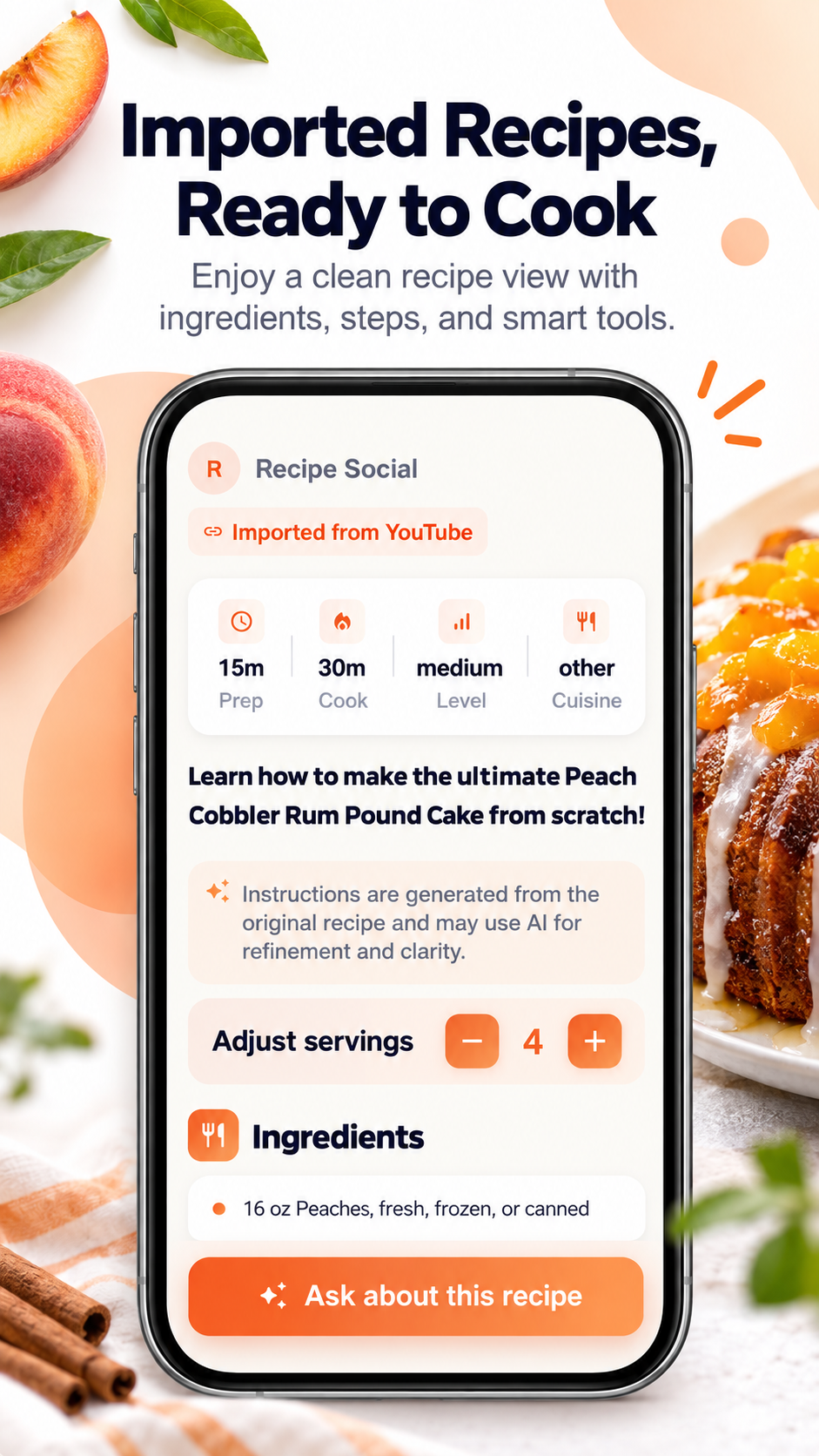
Edit & Scale
Adjust servings, ingredients, instructions, and recipe details to fit what you're cooking.
Simple from the start
Three steps from
scrolling to cooking.
Recipe Social removes the messy part so you can get back to the part you actually enjoy.
-
Search for recipes inside Recipe Social, share a social or website link, upload screenshots, or paste recipe text.
-
Recipe Social turns the source into a clean recipe with organized ingredients and instructions.
-
Add it to a private cookbook, edit or scale it, ask questions, and find it again whenever you're ready to cook.
Everything You Need, Right in the App
Explore how Recipe Social helps you save, organize, search, and manage favorite recipes effortlessly from one beautifully designed mobile app.
Frequently asked questions
Built for home cooks who save recipes everywhere.
-
Yes. Recipe Social is free to download, with optional Pro features available in the app.
-
Import recipes from TikTok, Instagram, YouTube, Facebook, websites, screenshots, or pasted text.
-
Your recipes and cookbooks are private by default. Recipe Social helps you save recipes from the places you discover them into your own personal collection.
-
Yes. Choose Screenshot when importing a recipe and upload an image of the recipe. Clear, readable screenshots work best.
-
Yes. Download Recipe Social from the App Store for iPhone or Google Play for Android.
-
Check that the source includes a readable recipe, then try again. You can also try a screenshot or paste the recipe text. Results can vary by source.

Your next favorite recipe deserves a better place.
Find, import, and organize recipes from across the internet in one place built for the way you actually cook.
Free to download. Optional Pro subscription available.